Expert Acer Laptop Screen Repairs Serving Fort Erie | JTG Systems
Fort Erie locals depend on Acer laptops for everything from border business dealings to neighborhood event planning, but a fractured display can stop everything in its tracks. JTG Systems, located at 577 Niagara Street in Welland, Ontario, leverages more than two decades of hands-on repair expertise to bring back sharp, reliable visuals. Backed by over 1,100 glowing five-star ratings from folks across Niagara, we get how screen glitches throw off workflows in spots like Thorold and remote setups from St. Catharines.
Our no-fix-no-fee guarantee and 90-day protection offer total confidence, plus easy walk-ins Monday through Friday from 12PM to 6PM. From light scuffs in daily handling to total breakdowns, JTG Systems provides customized Acer display fixes rooted in community reliability and modern methods.
Acer Laptop Screen Design and Diagnostic Strategies
Acer devices incorporate advanced IPS technology for broad angle visibility and rich hues, supported by low-power LED illumination in lightweight frames built for on-the-go use. Tailored for mobile demands, they often face wear from joint strain and accidental impacts typical in dynamic routines.
Our evaluation begins with detailed optical checks and performance trials, employing precision instruments to spot disconnected wiring, lighting variations, or surface flaws. In Niagara's fluctuating weather, elements like dampness can accelerate connector rust, underscoring the need for in-depth electrical analysis.
Typical Indicators and Vulnerabilities in Acer Displays
- Shattered Outer Surfaces: Drops lead to surface breaks that might protect the inner LCD at first but worsen with continued flexing.
- Distorted or Blinking Images: Repeated cover movements strain wiring, causing erratic patterns frequently confused with OS errors.
- Illuminated Yet Blank Panel: Lighting or converter faults produce light without visuals, frequent in aged Aspire units from intensive sessions.
- Patchy Colors or Inactive Pixels: Production differences or warmth buildup harm pixel grids, resulting in inconsistent tones.
- Joint-Caused Border Splits: Excessive pivot activity pressures frame edges, forming fine breaks in TravelMate lines.
- Touch Response Breakdowns: In flexible Spin variants, jolts shift sensor films, leading to erratic inputs or total loss.
- Fading or Inconsistent Lighting: Worn-out CCFL elements in older models diminish glow, needing specific swaps for even output.
- Persistent Vertical Streaks: Harm to signal processors shows as steady lines that persist through reboots.
- Total Panel Darkness: Ribbon wire rips from body bending in transit sever all signals to the screen.
- Dampness-Caused Blurs: Regional vapor entry triggers separation, forming expanding hazy zones.
- Blur During Movement: Overheating in Predator gamer screens causes lag in fast-motion views.
- Border Separation: Constant cover actions detach frames, permitting grit buildup in standard Niagara homes.
- Tone Imbalance Problems: Wire degradation shifts shades, evident in precision work.
- Light Level Adjustment Failures: Detector issues block brightness changes, impacting power efficiency.
- Sectional Panel Power-On: Signal spread faults activate only portions of the screen.
- Wave-Like Distortions: Nearby gadget interference generates rippling effects.
- Random Spot Failures: Internal shorts create isolated dark areas that grow over sessions.
- Overheating-Induced Fading: Prolonged loads cause gradual dimness in high-end configs.
- Cable Insulation Wear: Friction erodes protective layers, leading to intermittent shorts.
- Panel Alignment Shifts: Loose mounts cause image skewing during transport.
Technicians use voltage meters for pathway verification and heat cameras for anomaly spotting, guaranteeing precise issue pinpointing prior to opening the unit.
Fort Erie Residents Rely on JTG Systems for Acer Display Fixes
As the top repair center in Niagara, JTG Systems excels by procuring authentic, factory-matched components that guarantee seamless integration and superior output for Acer hardware, steering clear of inferior options that undermine clarity.
- Over 20 Years Mastering Acer Tech: Staff skilled in handling classic Aspire designs to cutting-edge Predator configurations.
- Risk-Free No-Fix-No-Fee Policy: No charges unless success is delivered, earning trust from Welland to Fort Erie users.
- Full 90-Day Safeguard: Shields from repeat visual troubles covering materials and work.
- More Than 1,100 Top Ratings: Feedback from St. Catharines through Thorold praises our steady quality and friendly vibe.
- Easy Access Walk-Ins: Stop by weekdays 12PM-6PM at 577 Niagara Street, Welland, for quick reviews.
- Clear Cost Breakdowns: Inspection-based estimates avoid surprises for area customers.
- Border Zone Convenience: Simplified paths for Fort Erie travelers to cut interruption times.
- Green Disposal Practices: Ethical management of used panels supports Niagara's sustainability efforts.
- Rigorous Info Handling: Firm protocols maintain privacy throughout the process.
- Area-Tailored Knowledge: Guidance adapted to local climate and mobility habits.
- Quick Component Access: Stocked supplies shorten delays for standard Acer elements.
- After-Service Enhancements: Adjustments to boost efficiency past factory levels.
- Local Involvement: Support for Niagara gatherings to meet tech demands.
- Advanced Gear Use: Modern tools for accurate, non-damaging procedures.
- Custom Fit Solutions: Personalized approaches for unique user scenarios.
- Extended Support Options: Follow-up help to ensure long-term satisfaction.
- Training for Durability: Tips shared to extend device longevity.
- Inventory Reliability: Dependable sourcing for rare parts when needed.
- Client Feedback Integration: Continuous improvements based on community input.
- Secure Workspace Standards: Clean environments to prevent contamination.
Selecting JTG connects you with committed specialists focused on extending your Acer's utility and building strong ties in Niagara.
Acer Display Fix Workflow and Timeline Projections at JTG
JTG Systems employs a streamlined sequence from arrival to completion, informing Fort Erie clients regularly to limit impacts. Durations depend on intricacy and stock, with steady updates provided.
Quick Same-Day Handling for Simple Fixes
Suited for surface-level concerns or adjustments, completed swiftly on-site.
- Patch applications maintaining intact inner layers.
- Securing displaced components to fix sporadic faults.
- Removing particles and adjusting for light discrepancies.
- Stabilizing frames against minor wobbles.
- OS configurations for perceived visual errors.
- Basic connector reseating for signal recovery.
24-48 Hour Options for Routine Swaps
Encompasses complete module changes with detailed rebuilding and validation.
- Exchanging full assemblies for major breaks, with gasket strengthening.
- Enhancing pivots during fresh module fits for robustness.
- Loading new software after installs for fluid performance.
- Running dot checks to confirm flawless outputs.
- Adjusting shades for true depiction.
- Evaluating across positions for full assurance.
- Power cycle simulations to test stability.
3-5 Day Approaches for Intricate Cases
Tackles combined hardware hurdles with prolonged checks.
- Fixing circuit boards for lighting anomalies.
- Dehumidifying and rebuilding water-affected parts.
- Pairing fixes with side improvements like wire fortification.
- Expert calibration for elite series like Predator.
- Adding heat control remedies for warmth-linked errors.
- Complete machine scans to exclude linked problems.
- Integrated firmware updates for compatibility.
- Environmental stress trials for reliability.
All work happens in our protected Welland space, with solid info safeguards for every Niagara visitor.
Spotlight: Tackling a Commuter's Acer Display Dilemma in Fort Erie
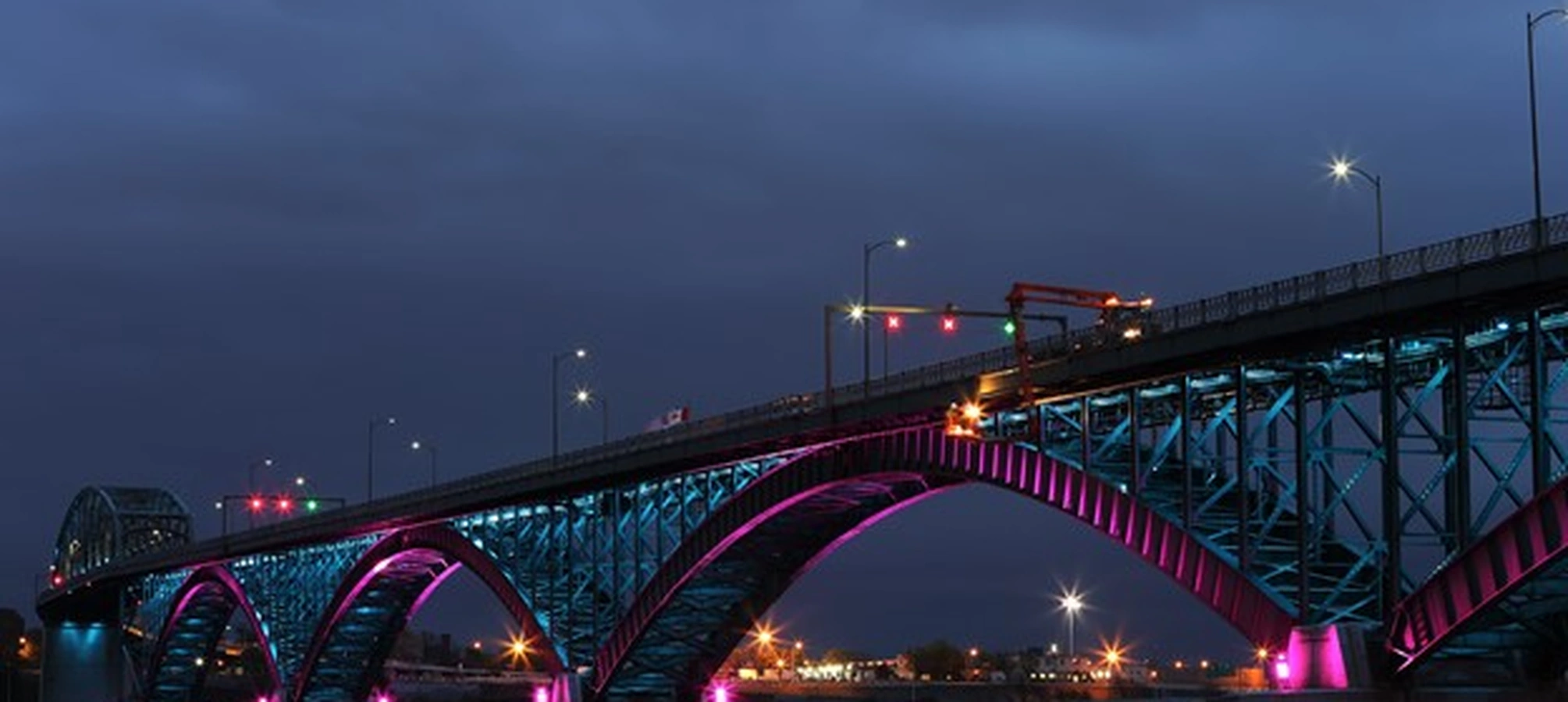
Picture Mike, a Fort Erie cross-border worker juggling reports on his Acer TravelMate near the international bridge, whose screen split after tumbling during a hurried stop in Welland for supplies. The fractured view muddled spreadsheet data, delaying his St. Catharines team syncs and risking project timelines.
Arriving at JTG Systems mid-week, Mike worried about his confidential docs. Our probe uncovered frame twist from the incident harming the signal line, a standard hazard for Niagara commuters. In under 48 hours, we fitted a matching vivid panel, bolstered the structure, and executed intensive checks to ensure resilience.
Mike departed with his machine running smoothly under our 90-day coverage, set for precise remote meetings. This example shows JTG's knack for converting area hurdles into solid resolutions for Fort Erie professionals.
Your Full Acer Display Repair Experience at JTG Systems
Our organized method turns worries into confident outcomes, emphasizing openness and info safety at each phase.
- Arrival and Initial Review: Describe your Acer display troubles at our Welland site; we record and conduct basic scans.
- Detailed Opening and Checks: Enter the screen setup to inspect wiring, illumination, and condition, applying anti-static protections.
- Tailored Fix Plan: Share results with a set-cost estimate, including file safeguard suggestions.
- Exact Implementation: Obtain and fit true modules, refining sights and reviewing from multiple views.
- Complete Validation: Perform broad tests, including load trials to prove endurance.
- Info Protection Steps: Recommend safe storage during work and reload data with discretion for local standards.
- Delivery and Ongoing Care: Show the revived unit, offer maintenance advice, and arrange potential follow-ups.
This path embodies our dedication to superior service, aiding Fort Erie and wider Niagara with precise attention.
Key Strategies to Protect Your Acer Display in Niagara Settings
Shield your Acer panel from local conditions using these proven tactics.
- Gentle Cover Operation: Lift softly while steadying the bottom to ease Aspire joint loads.
- Cushioned Carry Bags: Choose foam-lined carriers for trips across Welland and Fort Erie to buffer jolts.
- Careful Wipe Methods: Use soft fabrics, avoiding harsh materials on glare-resistant finishes.
- Consistent OS Updates: Refresh Acer tools to steady visual controllers and dodge faults.
- Dampness-Resistant Keeping: Guard against high moisture in Thorold winters to avoid bends.
- Resilient Cover Layers: Add tough films for extra break defense without affecting input precision.
- Yearly Expert Reviews: Book JTG evaluations to catch initial pivot or line degradation.
- Even Heat Control: Employ vent pads to curb warmth by panel borders.
- Measured Light Settings: Limit extended peak levels to prolong LED durability in player variants.
- Travel Buffer Zones: Pad units against path vibrations on Niagara paths.
- Spill Avoidance: Distance from liquids in portable office spots.
- Firm Base Positioning: Avoid slides on irregular tables in everyday use.
- Update Monitoring: Watch for Acer notices to head off match problems.
- Shock-Reducing Mounts: Utilize raised supports to lower fall chances.
- Dust Barrier Seals: Maintain tight edges to block particle entry.
- Angle Adjustment Care: Position evenly to prevent uneven wear.
- Battery Optimization: Balance charge to reduce power strain on visuals.
- Software Conflict Checks: Scan for app clashes affecting display.
- Humidity Packs: Include desiccants in storage for dry conditions.
- Handle Grip Use: Attach safe carriers for secure transport.
Adopting these habits boosts your Acer's toughness, lessening repair frequency.
Prepare to Restore Your Acer Display? Reach JTG Systems Now
Let a faulty screen disrupt your Fort Erie day no longerΓ’ΒΒrely on JTG Systems for trusted, area-focused Acer fixes. Dial (905) 892-4555 to reserve or visit Monday-Friday 12PM-6PM.
Enjoy our no-fix-no-fee assurance, 90-day protection, and 20+ years of skill. Head to 577 Niagara Street in Welland, Ontario, and see why over 1,100 Niagara clients endorse us. Revive your sightΓ’ΒΒconnect today!
JTG Systems577 Niagara Street
Welland, ON
Phone: (905) 892-4555