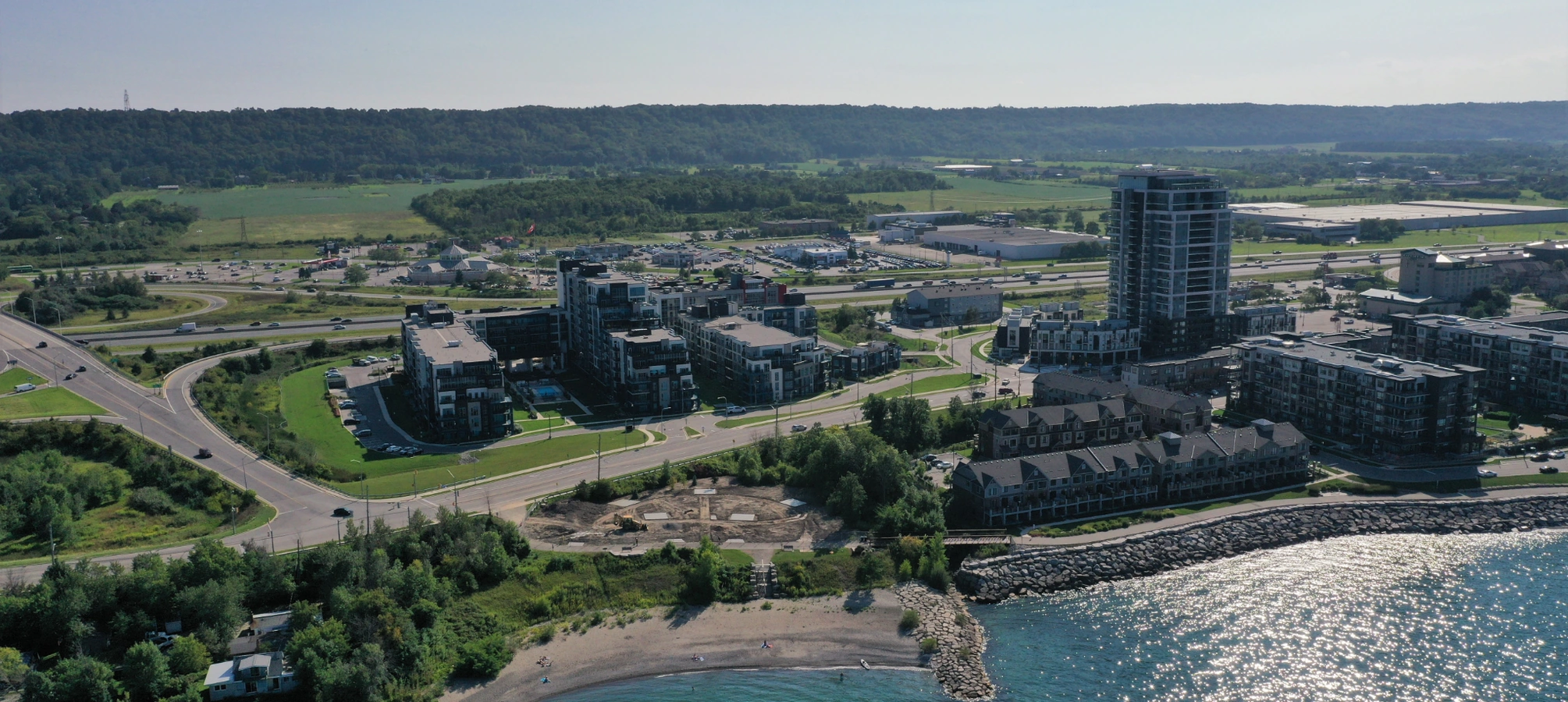
Acer Laptop Display Solutions for Grimsby Everyday Users
In Grimsby, where remote work and online learning shape daily life, Acer laptops serve as essential tools for seamless productivity amid Niagara's close-knit neighborhoods. JTG Systems, your trusted repair hub at 577 Niagara Street in Welland, Ontario, brings over 20 years of specialized knowledge, a no-fix-no-fee guarantee, and a 90-day warranty, earning more than 1,100 five-star reviews from satisfied Niagara residents.
Imagine preparing for a virtual meeting in your Grimsby home office when your Acer screen suddenly flickers and dims, disrupting your focus. Our team understands these interruptions in the local hustle, delivering precise display restorations with authentic parts to get you back on track swiftly.
Exploring Acer Laptop Screen Technology and Diagnostic Approaches
Acer laptops feature sophisticated screen designs, typically incorporating IPS or TN panels with LED backlighting for crisp imagery ideal for professional tasks, educational pursuits, or entertainment in Niagara settings. These displays integrate layered LCD elements within narrow frames, linked by ribbon cables to the mainboard, where local factors like Welland's damp air or bumps from Thorold travels can hasten component fatigue.
Diagnostics at JTG start with comprehensive visual checks and diagnostic tools to distinguish software glitches from hardware problems. Technicians employ voltage testers for backlight circuits and conduct pixel mapping to pinpoint defects, optimizing repairs with targeted interventions and limited device opening.
Prevalent Signs of Acer Display Problems
- Fractures appearing after slight falls, forming web-like cracks on the glass.
- Fluctuating light levels that spike at power-on.
- Total darkness on the screen even as the machine operates.
- Bands of color distortion running horizontally or vertically.
- Diminished touch sensitivity in interactive Acer models.
- Groups of pixels locked in dark or blinking modes.
- Fuzzy characters that intensify in bright environments.
- System halts connected to video card incompatibilities.
- Heat buildup near the lid joint indicating wire strain.
- Persistent low brightness ignoring control changes.
- Lines developing after system software refreshes.
- Upside-down visuals simulating GPU malfunctions.
- Transition from rich colors to pale appearances.
- External displays functioning while built-in fails.
- Boot delays with incomplete screen display.
- Spots from humidity in Niagara's changing weather.
- Frame loosening revealing inner connections.
- False inputs on standard screens from jolts.
- Light leakage at borders in low-light conditions.
- Abrupt power-offs due to screen energy demands.
- Ghost images during dynamic video playback.
- Slow responses in high-refresh-rate screens.
- Gradual dimming over the entire panel.
- Artifacts during online media consumption.
- Issues arising post-OS upgrades.
- Battery swelling impacting screen positioning.
- Dirt accumulation causing faint streaks.
- Lid mechanism breaks leading to wobbles.
- Color flips in particular programs.
- Uneven lighting in peripheral zones.
- Sharpness loss following extended sessions.
- Shakes from vibrations unsettling the assembly.
- Digital rainbow effects from app errors.
- Screen bending under sustained force.
- Interference from electromagnetic sources nearby.
- Gradual yellowing in aged panels.
- Sync problems with external peripherals.
Such indicators frequently arise from mechanical stress, production inconsistencies, or gradual breakdown in Acer's sleek builds, common in Niagara's energetic routines.
Selecting JTG Systems for Superior Acer Screen Repairs in Niagara
For over two decades, JTG Systems has supported Grimsby and surrounding areas with exceptional Acer display services, emphasizing premium OEM-matched replacements to prevent subpar results from low-grade alternatives.
- Over 20 years dedicated to Niagara locales including Grimsby and Welland.
- No obligation to pay if the repair doesn't succeed.
- 90-day coverage on all services and components.
- More than 1,100 five-star ratings from regional customers.
- Walk-in access Monday through Friday, 12 PM to 6 PM.
- Authentic-grade parts procured responsibly for Acer integration.
- Clear costs with no surprise charges for Grimsby finances.
- Insight into local environmental impacts on tech.
- Staff proficient in latest display innovations.
- Reduced wait times to align with your routine.
- Ongoing assistance after the primary service.
- Eco-friendly handling of discarded display materials.
- Bespoke evaluations aligned with Acer technical standards.
- Engagement in St. Catharines local initiatives.
- Robust data security across all repair phases.
- Adaptable on-site evaluations for your convenience.
- Bundle savings for multiple devices in homes or businesses.
- Connections to regional waste reduction programs.
- Guidance on at-home care to extend component lifespan.
- Partnerships with Niagara learning centers.
- Modern tools for precise fault identification.
- Client input mechanisms to refine our practices.
- Delivery services for outlying Grimsby spots.
- Compliance with up-to-date safety guidelines.
- Follow-up consultations after coverage ends.
- Holistic system checks for optimal performance.
- Local seminars on gadget upkeep.
- Fast-track bookings for pressing Niagara situations.
- Custom solutions for unique Acer configurations.
- Transparent logging of repair histories.
Deeply rooted in Niagara's digital ecosystem, we foster enduring relationships via dependable, area-oriented solutions.
Streamlined Timelines for Acer Screen Restorations at JTG
We optimize workflows to match your urgency, whether it's a rush job from Grimsby or routine maintenance in Welland, providing consistent status updates.
Same-Day Resolutions for Straightforward Display Adjustments
- Quick backlight inverter changes to eliminate flashes.
- Link adjustments for sporadic dark screens.
- Software optimizations fixing color shifts.
- Decontamination for water-related marks.
- Rapid initialization settings for boot glitches.
- Frame realignments without deep access.
- Simple wire repositioning for connection losses.
- Basic pixel remapping for minor clusters.
24-48 Hour Options for Routine Component Upgrades
- Complete screen module swaps for common Acer Aspire units.
- Backlight LED refreshes to counter fading.
- Lid support strengthening with display overhauls.
- Software-hardware integrations for stability.
- Targeted corrections for individual dead spots.
- Reinforcement of flex cables for flex durability.
- Layer improvements for even illumination.
- Touch interface alignments for responsive use.
- Bezel resealing to prevent dust entry.
- Controller chip recalibrations for smooth output.
Longer Durations for In-Depth Screen Overhauls
- Tailored frame constructions for uncommon Acer types.
- Mainboard display circuit rehabilitations.
- Interactive layer rebuilds in hybrid form factors.
- Comprehensive internal damage assessments.
- Specialized evaluations for premium Predator lines.
- Coordinated multi-component restorations.
- Precision adjustments for professional-grade imagery.
- Accessory integration confirmations.
- Endurance simulations for long-term reliability.
- System software fine-tunes after part installations.
- Environmental stress recreations for Niagara conditions.
- Full assembly verifications post-repair.
Continuous communication ensures you're updated, customizing the process to your timeline for superior results.
Case Study: Rescuing a Thorold Educator's Acer from Daily Wear
In Thorold, where educators juggle lesson planning and virtual classes, Sarah's Acer laptop developed vertical streaks and hinge looseness from constant transport between home and school, threatening her interactive teaching sessions. At our Welland facility, technicians traced the issues to strained cables and minor panel wear, executing a detailed cleanup, cable replacement, and screen realignment while safeguarding her lesson files. In under 24 hours, Sarah's laptop was fully operational, supporting her engaging online workshops without a hitch, and she commended our efficient, community-minded approach that preserved her teaching flow.
Stories like Sarah's demonstrate JTG's skill in transforming local tech setbacks into rapid triumphs, combining advanced repairs with Niagara understanding.
Navigating the Full Acer Repair Process at JTG Systems
We design a fluid experience for Grimsby clients, emphasizing speed, security, and satisfaction from initial contact to final delivery.
- Initial Consultation and Evaluation: Arrive at 577 Niagara Street for a detailed issue overview and usage background.
- Detailed Diagnostic Phase: Perform accurate scans such as connection checks or display load tests, with your consent.
- Precise Intervention Steps: Open the unit carefully, replace elements, and secure data through backups.
- Validation and Fine-Tuning: Confirm all functions, including hue precision and load tolerance.
- Delivery and Maintenance Advice: Return your refreshed laptop with usage guidelines like regular saves, plus warranty information.
Integrated safeguards, such as secure processing and restoration protocols, protect your data throughout the procedure.
Essential Strategies to Protect Your Acer Screen in Niagara
Considering Niagara's fluctuating climate and active lifestyles, adopt these measures to defend your Acer display against frequent risks.
- Install protective films to ward off abrasions and fingerprints.
- Restrict screen tilt to recommended ranges to safeguard joints.
- Refresh graphics drivers every three months from Acer resources.
- Clean using soft cloths, avoiding abrasive solutions.
- Activate adaptive lighting to ease backlight wear.
- Transport in cushioned cases for St. Catharines trips.
- Track Acer updates for display enhancements.
- Ensure airflow to prevent heat-related bends.
- Adjust color settings yearly for accurate rendering.
- Save files prior to demanding visual operations.
- Opt for anti-glare surfaces in sunny areas.
- Schedule JTG inspections for proactive spotting.
- Connect via power protectors against surges.
- Keep from direct sunlight to halt discoloration.
- Update system firmware for display compatibility.
- Employ stands for optimal viewing positions.
- Cap usage time to minimize strain.
- Use cooling pads on warm Niagara afternoons.
- Test alternative outputs for backup display.
- Educate household on proper handling.
- Select spill-proof sleeves in prone areas.
- Conduct seasonal cleanings for debris.
- Perform built-in Acer diagnostics regularly.
- Explore extra shields for heavy workloads.
- Steer clear of sharp bends in transit.
- Incorporate light filters for extended life.
- Record activity logs for preventive actions.
- Avoid stacking items on closed lids.
- Monitor for early warmth indicators.
Implementing these habits bolsters your Acer's resilience, ensuring consistent, vibrant functionality long-term.
Act Now: Secure Your Acer Display Repair with JTG
Avoid letting screen troubles hinder your progress in Grimsby, Welland, or St. Catharinesรขยยdrop by 577 Niagara Street from 12 PM to 6 PM Monday to Friday or dial (905) 892-4555 for proven Acer laptop screen services. Our commitments deliver assured, efficient outcomes immediately.
JTG Systems, 577 Niagara Street, Welland, Ontario